

Documentation Index
Fetch the complete documentation index at: https://cometchat-22654f5b-react-uikit-v7.mintlify.app/llms.txt
Use this file to discover all available pages before exploring further.
AI Integration Quick Reference
AI Integration Quick Reference
| Field | Value |
|---|---|
| Plugin ID | ai |
| Package | @cometchat/chat-uikit-react |
| Message Types | assistant, toolArguments, toolResults, run_started |
| Message Categories | agentic, custom |
| Included by Default | No (add via plugins prop) |
| Bubble Component | CometChatAIAssistantBubble, CometChatStreamMessageBubble, CometChatToolCallArgumentBubble, CometChatToolCallResultBubble |
| Conversation Preview | First 80 chars of response / Tool call / Tool result |
| Context Menu | None |
Overview
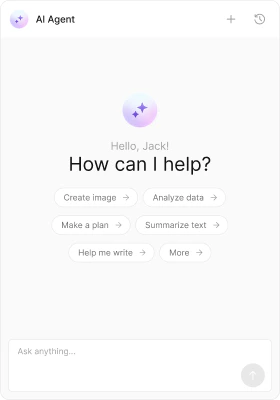
The AI plugin handles messages in theagentic category. It renders three types of AI-generated content:
- Assistant messages — completed AI responses with markdown formatting
- Tool call arguments — JSON display of arguments passed to a tool
- Tool results — JSON display of results returned by a tool
- Streaming messages — real-time streaming bubble while the AI is generating a response
Installation
The AI plugin is NOT included in the default plugins. Add it explicitly:Message Types
| Type | Category | What it renders |
|---|---|---|
assistant | agentic | Completed AI response with markdown |
toolArguments | agentic | Tool call arguments as formatted JSON |
toolResults | agentic | Tool call results as formatted JSON |
run_started | custom | Streaming placeholder while AI generates |
Bubble Rendering
Assistant Bubble
Renders the AI response with full markdown support (headings, lists, code blocks, bold, italic, links). UsesCometChatAIAssistantBubble.
Streaming Bubble
Shows a real-time streaming animation while the AI is generating. Connects to the streaming service keyed bychatId. Uses CometChatStreamMessageBubble.
Tool Call Bubbles
Display tool invocation details as collapsible JSON blocks. Useful for debugging AI agent workflows. All bubble components are lazy-loaded — they’re not included in the initial bundle until an AI message is actually rendered.Context Menu Options
None — AI messages are system-generated and have no context menu options.Conversation Preview
| Type | Preview text |
|---|---|
assistant | First 80 characters of the response (markdown stripped) |
toolArguments | ”Tool call” |
toolResults | ”Tool result” |
Preloading
The AI Assistant Chat panel can be preloaded on hover/focus to reduce perceived latency:CSS Selectors
| Target | Selector |
|---|---|
| Assistant bubble | .cometchat-ai-assistant-bubble |
| Streaming bubble | .cometchat-stream-message-bubble |
| Tool argument bubble | .cometchat-tool-call-argument-bubble |
| Tool result bubble | .cometchat-tool-call-result-bubble |